
Fresh Snow Photography: Timing the Perfect White Landscape
Fresh snow transforms landscapes but doesn't last. Learn to catch that magical window using trend rules that detect recent accumulation before wind, sun, and footprints spoil the scene.
Fresh Snow Photography: Timing the Perfect White Landscape
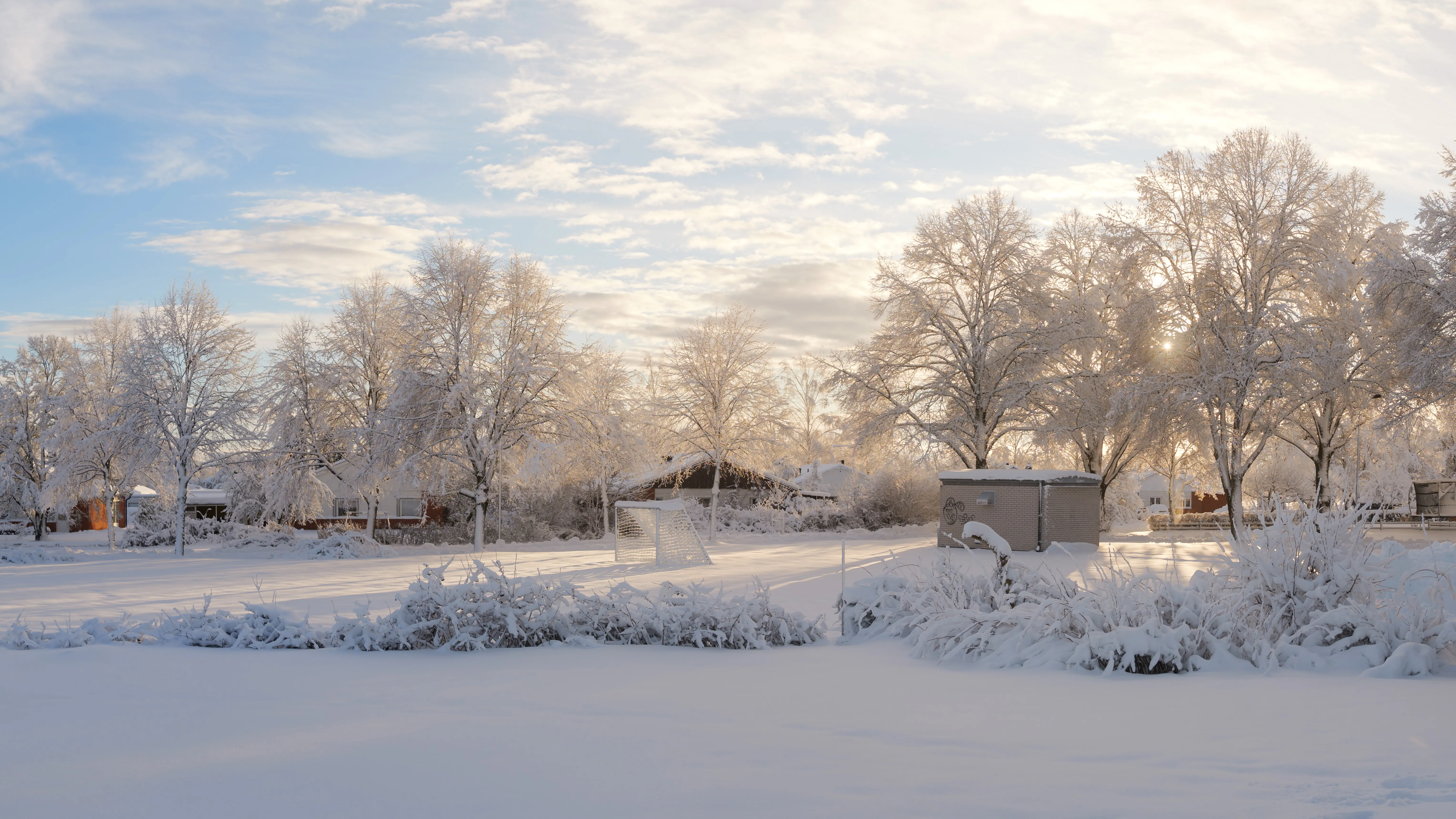
Fresh snow is one of photography’s most transformative conditions. It blankets familiar landscapes in white, hides distractions, creates clean backgrounds, and reflects light beautifully. For a few magical hours, everything looks new.
But fresh snow doesn’t wait around.
Within hours of snowfall stopping, the pristine surface starts degrading. Wind redistributes the snow. Sun causes surface melting and crusting. Footprints appear from early risers. Trees shed their snow load as branches warm. The magic window closes fast.
This guide shows you how to catch that window—using trend rules that detect when fresh snow has just fallen and conditions are clearing for photography.
You’ll need a free PhotoWeather account to follow along. Trend rules require Pro.
Why Fresh Snow Is Tricky to Catch
Traditional weather alerts work on instant conditions: “Is it snowing right now?” or “Is there snow on the ground?”
Neither of these tells you what you actually need to know:
- “It’s snowing now” means you’ll be shooting in a blizzard with poor visibility
- “There’s snow on the ground” doesn’t tell you if it’s fresh or three days old
What photographers need is pattern detection: “Significant snow has fallen recently, it’s now stopping, and conditions are clearing.” That’s a much harder question to answer—and exactly what trend rules were built for.
The Fresh Snow Formula
The ideal fresh snow conditions follow a clear pattern:
- Recent accumulation: At least a few centimeters in the last several hours
- Snowfall stopping: You want clearing, not ongoing snow
- Cold temperatures: Below freezing keeps the snow from melting
- Calm winds: Less than 5 m/s prevents drifting and redistribution
- Improving visibility: Clearing skies let you see the landscape
Miss any of these, and you either arrive too early (still snowing), too late (snow melted or tracked up), or in unusable conditions (wind-blown drifts instead of pristine coverage).
The First Tracks Template
PhotoWeather includes a “First Tracks” template designed exactly for this scenario. Here’s what it watches for:
| Condition | Threshold | Why It Matters |
|---|---|---|
| Snowfall (6-hour accumulation) | ≥ 5 cm | Enough to transform the landscape |
| Current snowfall | ≤ 0.5 cm/hour | Snow is stopping, not active |
| Visibility | ≥ 5,000 m | Can see what you’re photographing |
| Wind speed | ≤ 5 m/s | Snow stays pristine, not blown around |
| Temperature | ≤ -2°C | Cold enough to preserve the snow |
| Cloud cover | ≤ 50% | Skies clearing for better light |
The key here is the 6-hour accumulation check. This uses a trend rule—it looks back over the past 6 hours and sums up total snowfall. A simple “snowfall now” check would trigger every hour of active snow. The trend rule waits until meaningful accumulation has happened AND current conditions show it’s stopping.
This is the difference between “there’s snow in the forecast” and “grab your camera, the window is open.”
How Trend Rules Work
Trend rules detect patterns over time instead of checking a single moment. For fresh snow photography, the critical operator is the rolling sum.
Rolling Sum
Instead of asking “how much snow is falling right now?”, a rolling sum asks “how much snow has fallen in the last X hours?”
Example timeline:
| Hour | Snowfall |
|---|---|
| 0 | 0.5 cm |
| 1 | 0.8 cm |
| 2 | 1.2 cm |
| 3 | 0.7 cm |
| 4 | 0.9 cm |
| 5 | 1.3 cm |
| 6-hour total | 5.4 cm |
At hour 5, the 6-hour rolling sum shows 5.4 cm of total accumulation. The rule triggers because meaningful snow has accumulated—even though no single hour had more than 1.3 cm.
This is what makes trend rules powerful for photographers. You’re detecting sustained conditions, not momentary readings.
Other Trend Operators
While rolling sum is perfect for snowfall accumulation, PhotoWeather offers other trend operators for different scenarios:
- Rolling average: Smooth out fluctuating readings over a time window
- Rolling minimum/maximum: Track the lowest or highest value in a period
- Trend detection: Detect if a value is increasing or decreasing over time
These can be useful for detecting clearing storms (precipitation decreasing), building fog conditions (humidity rising), or wind calming down (decreasing over time).
Building Your Own Fresh Snow Rule
The First Tracks template works well as a starting point, but you might want to adjust thresholds for your region and preferences.
Looser Settings for More Alerts
If you’re not getting enough alerts:
- Lower the accumulation threshold (3 cm instead of 5 cm)
- Extend the time window (12 hours instead of 6)
- Raise the current snowfall cap (1 cm/hour instead of 0.5)
- Accept higher cloud cover (70% instead of 50%)
This catches lighter snow events and earlier in the clearing process.
Stricter Settings for Perfect Conditions
If you’re getting too many alerts that don’t pan out:
- Raise the accumulation threshold (8+ cm for true transformation)
- Tighten the wind requirement (≤ 2 m/s for pristine surfaces)
- Lower the temperature threshold (≤ -5°C for long-lasting snow)
- Require very low current snowfall (≤ 0.2 cm/hour)
This waits for conditions that are genuinely excellent, not just acceptable.
Regional Adjustments
Snow photography varies significantly by region:
Heavy snow regions (mountains, lake effect zones): Raise your accumulation thresholds. 5 cm might be nothing; 15+ cm might be your target.
Mild winter regions: Lower thresholds. 2-3 cm can transform the landscape when snow is rare.
Windy areas: Tighten wind requirements. If your area is naturally windy, pristine snow is even more fleeting.
Timing the Window
Once you get an alert, time matters. Here’s how the window typically plays out:
The Golden Hours
First 2-3 hours after snowfall stops: Prime time. Snow is pristine, surfaces haven’t been disturbed, and light is often interesting as skies clear.
Hours 3-6: Still excellent if temperature stays below freezing and winds stay calm. Some surface texture may develop but overall quality remains high.
After 6 hours: Quality starts declining. Surface crusting, wind effects, and early tracks become visible. Still shootable but not pristine.
Best Timing Strategy
- Get alerts for your target locations — Don’t wait for perfect conditions at home; set up alerts for shooting spots
- Plan for travel time — A 45-minute drive means the window is already partially spent
- Arrive before sunrise when possible — Best light, fewest footprints
- Have backup locations — If one spot is tracked up, you can try another
Combining Fresh Snow with Other Conditions
The most striking winter images often combine multiple conditions. Fresh snow provides the canvas; other elements add the drama.
Fresh Snow + Fog
Snow-covered landscapes emerging from mist create ethereal, mysterious scenes. Look for:
- Fresh snow accumulation meeting fog probability
- Temperature near the dewpoint
- Calm winds (required for both pristine snow and fog)
Fresh Snow + Golden Hour
Warm light on white snow produces incredible color contrast. The low winter sun angle means golden hour light lasts longer and reaches further into the day.
Fresh Snow + Frost
When snow falls overnight and is followed by a clear, cold night, you can get frost crystals forming on top of the snow surface. This adds sparkle and texture.
Fresh Snow + Blue Hour
The classic winter color palette: deep blue twilight sky with bright white snow. Blue hour lasts longer in winter and pairs perfectly with snow’s reflective quality.
Build custom rules that combine these elements. The First Tracks template focuses on snow; you can create variants that also require clear skies (for blue hour) or high humidity (for fog potential).
What About Free Users?
Trend rules require Pro because they analyze patterns over time windows. But you can still track snow conditions without them.
Manual Monitoring
- Watch the Snowfall field in your weather chart
- Look for periods where snowfall is forecast to decrease toward zero
- Check wind forecasts for the hours after snowfall stops
- Set an alarm to check conditions around anticipated clearing
Simple Instant Rules
You can create instant rules (no trend operators) that catch some fresh snow opportunities:
- Snow depth above a threshold (indicates recent accumulation exists)
- Current snowfall below a threshold (snow is light or stopping)
- Wind speed below a threshold (conditions will preserve snow)
- Temperature below freezing
This won’t catch the “just stopped snowing” moment as precisely, but it will alert you to generally good snow conditions.
Practical Tips for Snow Photography
Weather conditions are half the equation. Here’s what else to consider:
Protect Your Gear
- Batteries drain fast in cold — Carry spares in an inside pocket
- Condensation is dangerous — When moving from cold to warm, put camera in a sealed bag
- Snow on lenses — Carry microfiber cloths and check frequently
- Tripod legs can freeze — Test before relying on them
Protect Yourself
- Layer effectively — You’ll be standing still, which gets cold fast
- Warm boots matter most — Cold feet end shoots early
- Know your limits — Frostbite is real; check apparent temperature
Exposure Challenges
- Snow fools meters — Camera sees white and underexposes; add +1 to +2 stops
- Check your histogram — Snow should be bright but not blown out
- Bracket for safety — Winter scene exposure is tricky
Beat the Crowds
Fresh snow attracts everyone: dog walkers, kids, joggers. The earlier you arrive, the better your chances of pristine conditions. Some photographers set alarms for pre-dawn specifically to beat the tracks.
Quick Reference
Fresh Snow Thresholds
| Condition | Good | Excellent |
|---|---|---|
| 6-hour accumulation | ≥ 3 cm | ≥ 5 cm |
| Current snowfall rate | ≤ 1 cm/hr | ≤ 0.5 cm/hr |
| Wind speed | ≤ 5 m/s | ≤ 2 m/s |
| Temperature | ≤ 0°C | ≤ -5°C |
| Visibility | ≥ 3,000 m | ≥ 5,000 m |
Timeline After Snowfall Stops
| Hours | Condition | Priority |
|---|---|---|
| 0-3 | Pristine, untouched | Highest |
| 3-6 | Excellent quality | High |
| 6-12 | Degrading surface | Medium |
| 12+ | Tracks, melting, drifts | Low |
Key Fields for Snow Rules
| Field | What It Shows |
|---|---|
| Snowfall | Hourly snow rate in cm |
| Snow depth | Total accumulation on ground |
| Temperature | Whether precip falls as snow |
| Wind speed | Risk of drifting and redistribution |
| Visibility | Can you see the landscape? |
| Cloud cover | Clearing or still stormy? |
Get Started with PhotoWeather
Ready to catch fresh snow conditions? Use our First Tracks template to get alerts when meaningful snowfall has accumulated and conditions are clearing. The template uses trend rules to detect when snow has stopped falling, winds are calm, and visibility is improving—catching that pristine window before tracks appear.
Getting Started
- Create your free account if you haven’t already
- Add locations where you photograph winter landscapes
- Check your weather chart for upcoming snow forecasts
- Consider upgrading to Pro to use the First Tracks template
- Set up your first fresh snow alert
- When you get an alert, act fast—the window is measured in hours, not days
Fresh snow rewards preparation and speed. The photographers who get the pristine shots aren’t luckier than everyone else—they’re just ready to move when conditions align.
Get your alerts set up before the next snowfall. When your phone buzzes at 6 AM with “First Tracks conditions detected,” you’ll be glad you did.