
Cloud Drama Explained: Why Some Skies Photograph Better Than Others
Learn why certain cloud configurations create stunning photographs and how to predict dramatic skies using PhotoWeather's cloud layer data and Cloud Drama score.
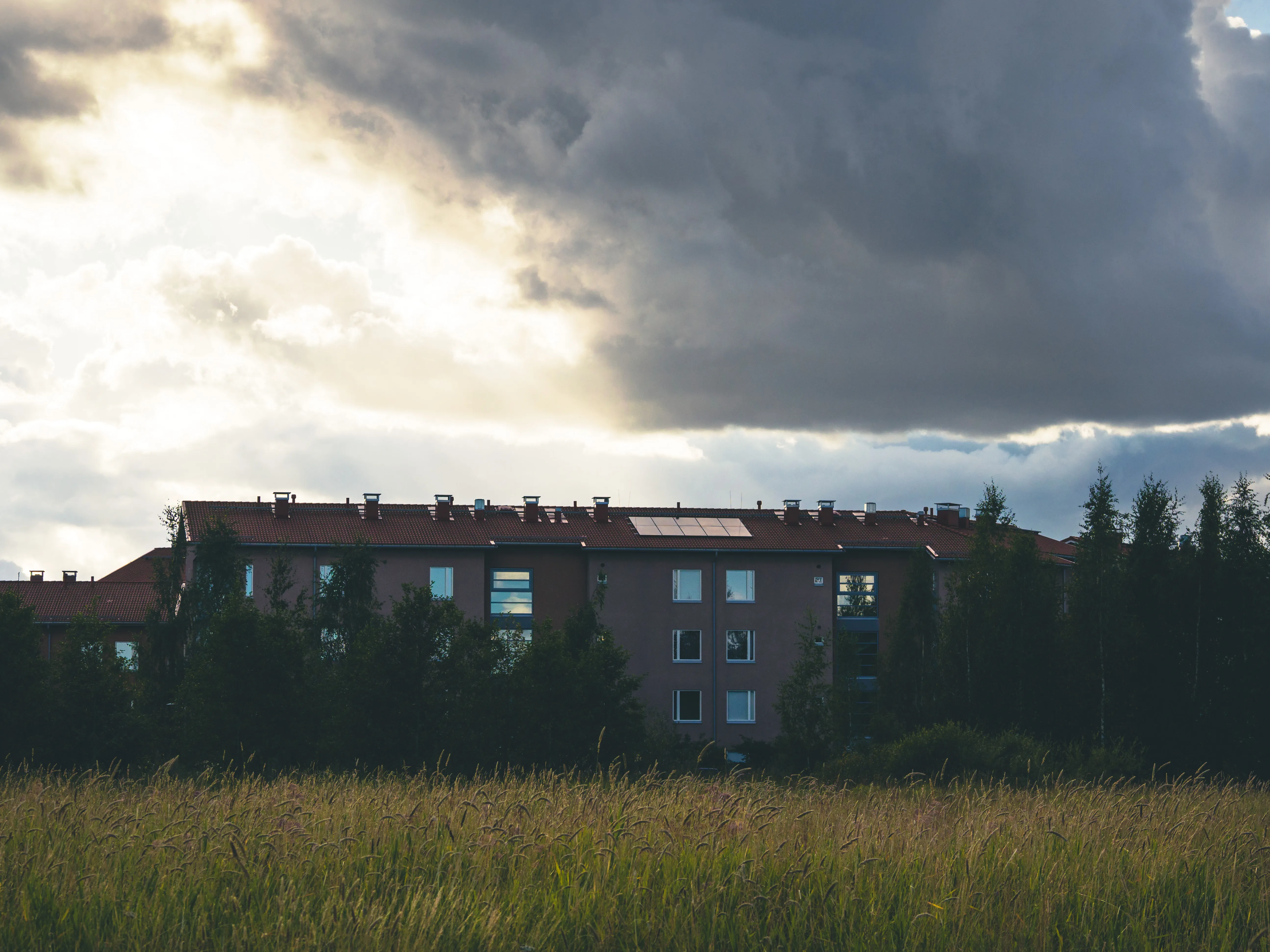
Cloud Drama Explained: Why Some Skies Photograph Better Than Others
Every photographer has experienced it: two evenings that look similar on paper—both have clouds, both have golden hour—but one produces a forgettable snapshot while the other creates a portfolio-worthy image.
The difference isn’t luck. It’s understanding what makes certain cloud configurations visually spectacular and knowing how to predict them.
This guide explains the science behind photogenic skies, introduces PhotoWeather’s cloud analysis tools, and shows you how to build rules that catch dramatic conditions before they happen.
You’ll need a PhotoWeather account to follow along. Some features require Pro tier.
Why Generic Weather Apps Get Clouds Wrong
When a weather app shows “Partly Cloudy” with a cloud icon, it tells you almost nothing useful for photography. That single icon could mean:
- A few boring puffs in an otherwise blue sky
- A stunning tapestry of clouds at multiple altitudes catching golden light
- Low gray haze with no visual interest
- High dramatic anvil clouds from a distant storm
All of these are “partly cloudy.” Only one or two are worth photographing.
Photography requires more nuance: not just how much cloud, but what kind, at what height, and how they’re distributed across the sky.
The Three Cloud Layers That Matter
Clouds form at different altitudes, and each layer behaves differently and contributes unique visual qualities to your photographs.
Low Clouds (Below 2km / 6,500 feet)
Types: Stratus, stratocumulus, cumulus
Behavior: Slow-moving, can linger for hours
Photography value: Creates atmospheric layers, fog effects, moody landscapes. When very low, these become the ground fog and mist that transforms ordinary scenes into magical ones.
Best for: Morning mist, valley fog, atmospheric layering, moody forest photography
Mid-Level Clouds (2-6km / 6,500-20,000 feet)
Types: Altocumulus, altostratus
Behavior: Moderate movement, creates textures
Photography value: This is the most important layer for dramatic photography. Mid-level clouds catch golden hour light beautifully, create depth in compositions, and add visual texture without blocking the sun completely.
Best for: Landscape photography, golden hour drama, cloudscapes
High Clouds (Above 6km / 20,000 feet)
Types: Cirrus, cirrostratus, cirrocumulus
Behavior: Fast-moving, wispy, semi-transparent
Photography value: Thin high clouds enhance sunsets without blocking light completely. They add texture to an otherwise plain sky, create optical phenomena like halos and sun dogs, and paint vibrant colors across the sky at sunrise and sunset.
Best for: Sunset enhancement, sky texture, optical phenomena
The Magic of 30-70% Coverage
One of the most important concepts in cloud photography is the sweet spot of partial coverage.
| Coverage | Sky Appearance | Photography Value |
|---|---|---|
| 0-10% | Nearly clear, minimal clouds | Clean sunsets, astrophotography |
| 10-20% | Sparse scattered clouds | Subtle interest |
| 30-70% | Mix of clouds and blue sky | Optimal drama—this is the sweet spot |
| 70-85% | Mostly cloudy with some breaks | Moody atmosphere |
| 85-100% | Overcast gray ceiling | Flat light, minimize sky |
Why does 30-70% work so well? Two reasons:
-
Contrast: You need both clouds and gaps for visual drama. All-overcast skies are uniformly gray. All-clear skies have nothing to photograph. Partial coverage creates contrast—light and shadow, texture and space.
-
Illumination: When clouds partially cover the sky, sunlight can angle underneath and illuminate cloud bases from below. This creates the glowing, golden undersides that make sunset photos spectacular.
Why Multiple Layers Beat Single Layers
A sky with 50% cloud coverage at a single altitude looks completely different from a sky with 50% coverage distributed across low, mid, and high layers.
Single-layer skies tend to look flat. They’re either a uniform sheet or isolated puffs, but they lack depth.
Multi-layer skies create visual complexity:
- Different layers move at different speeds, creating dynamic compositions
- Light interacts with each layer differently
- Depth is obvious—you can see the atmosphere’s structure
- Colors vary by altitude as light passes through different cloud types
When all three layers are active—even at modest coverage levels—you get the three-dimensional, dramatic skies that stop people mid-scroll.
Understanding the Cloud Drama Score
PhotoWeather analyzes cloud configurations and produces a 0-100 Cloud Drama Score designed specifically for photographers. This goes far beyond simple cloud coverage—it evaluates how photogenic the sky conditions actually are.
The score factors in five key elements:
1. Multi-Layer Cloud Presence
The algorithm rewards skies with clouds at multiple altitudes. Mid-level clouds receive the highest weight because they create the most dramatic textures. Having all three layers active earns bonus points.
2. Coverage Optimization
Partial coverage (30-70%) scores highest. Completely overcast or completely clear conditions score lowest. The algorithm understands that drama comes from contrast.
3. Atmospheric Dynamics
Active weather creates more interesting skies. The score factors in:
- Wind activity (creates movement and structure)
- Precipitation probability (indicates active systems)
- Low pressure (generates dynamic cloud patterns)
4. High-Altitude Wisp Quality
Thin cirrus clouds in the 15-40% range add visual texture without overwhelming the scene. Too few wisps adds no interest; too many creates a washed-out sky.
5. Solar Angle Enhancement
Cloud drama is most photogenic when the sun is low in the sky. The score is multiplied upward during golden hour and twilight (sun 10° or lower), and reduced during midday when flat overhead light diminishes cloud drama.
Score Interpretation
| Score | What It Means | Recommendation |
|---|---|---|
| 85-100 | Exceptional multi-layer clouds with perfect conditions | Drop everything—this is rare |
| 70-84 | Very impressive cloud formations | Plan your shoot around this |
| 55-69 | Interesting cloud conditions worth photographing | Worth shooting if convenient |
| 40-54 | Some cloud interest but not spectacular | May work for certain styles |
| 0-39 | Limited drama—overcast, clear, or poor conditions | Skip or shoot other subjects |
Reading Cloud Conditions in PhotoWeather
To evaluate cloud potential for your location:
- Open the Weather Chart for your location
- Enable Cloud Cover (total), plus Low, Mid, and High cloud layers
- Enable Cloud Drama Score (Pro)
- Focus on golden hour periods—that’s when cloud drama matters most
Look for:
- Total coverage in the 30-70% range
- Multiple active layers (not just one layer dominating)
- Cloud Drama Score above 55 for interesting conditions, above 75 for impressive ones
Setting Up Automated Alerts
PhotoWeather can monitor cloud conditions and notify you when dramatic skies are forming. No need to obsessively check forecasts.
Using the Cloudscapes Template (Pro)
PhotoWeather includes a Cloudscapes template specifically designed for dramatic sky photography.
What it monitors:
- Cloud Drama Score ≥ 75: Confirmed photogenic conditions
- Low Clouds ≥ 20%: Ensures atmospheric layering
- Mid Clouds ≥ 30% OR High Clouds ≥ 40%: Guarantees visual texture
- Visibility ≥ 5000m: Clear enough to see the drama
Setup:
- Go to Rules → Add Rule → Templates
- Find Cloudscapes under the Weather Drama category
- Click Create Rule
- Enable for your preferred locations
Tuning the Template
Loose settings (more frequent alerts):
- Cloud Drama Score ≥ 65
- More opportunities, some less spectacular
Default settings (balanced):
- Cloud Drama Score ≥ 75
- Good hit rate for dramatic conditions
Strict settings (exceptional only):
- Cloud Drama Score ≥ 85
- Rare but guaranteed impressive
Golden Clouds Alert
For photographers specifically targeting illuminated clouds at golden hour, the Golden Clouds Potential condition adds another layer of analysis.
This evaluates:
- Optimal 30-60% total coverage
- Mid-level cloud presence (catches golden light best)
- Atmospheric clarity for vibrant colors
- Solar angle timing
Combine Golden Clouds Potential ≥ 85 with a golden hour time window for precisely targeted alerts.
Building Custom Cloud Rules
Beyond templates, you can create rules for specific cloud photography styles.
Dramatic Landscape Clouds
- Cloud Drama Score ≥ 75
- Cloud Cover: 30-70%
- Visibility ≥ 5km
- Solar Elevation: -6° to 10° (golden hour timing)
Multi-Layer Sky Drama
- Cloud Cover Low ≥ 15%
- Cloud Cover Mid ≥ 20%
- Cloud Cover High ≥ 10%
- Total Cloud Cover: 40-75%
- Visibility ≥ 8km
Wispy Sunset Enhancement
- Cloud Cover High: 15-40%
- Total Cloud Cover ≤ 50%
- Visibility ≥ 15km
- Time Window: sunset-2h to sunset
Moody Overcast (for portraits and forest)
- Cloud Cover: 70-95%
- Precipitation Probability ≤ 20%
- Visibility ≥ 8km
- Wind Speed ≤ 6 m/s
Timing Your Cloud Photography
Best Times
Cloud drama is most photogenic during:
- Golden hour (sun 0-10° above horizon): Low-angle light illuminates cloud bases from below
- Twilight (sun 0-6° below horizon): Clouds catch light when ground is in shadow
- Post-storm clearing: Dark clouds against breaking light creates maximum contrast
Worst Times
- Midday (sun above 40°): Flat overhead lighting reduces drama
- Deep twilight (sun below -12°): Too dark to see cloud structure
The Cloud Drama Score automatically applies these timing factors, boosting scores during optimal periods and reducing them during unfavorable times.
Combining Clouds with Other Conditions
Cloud drama often works best when combined with other elements:
Clouds + Fog
- Fog Probability ≥ 70%
- Cloud Cover Mid: 20-50%
- Time Window: sunrise-1h to sunrise+2h
Low-lying fog with higher cloud layers creates depth and separation—the fog softens the foreground while dramatic clouds fill the sky.
Clouds + Reflections
- Cloud Drama Score ≥ 70
- Wind Speed ≤ 2 m/s
- Cloud Cover: 30-60%
Dramatic skies double their impact when reflected in still water. Low wind is essential for mirror-like reflections.
Regional Considerations
Cloud behavior varies by location:
Coastal areas: Marine layers create persistent low cloud conditions. Morning fog often burns off to reveal dramatic mid-level clouds by afternoon.
Mountains: Orographic lift creates dramatic cloud formations around peaks. Valley inversions trap low clouds while summits stay clear.
Continental interiors: More extreme seasonal variation. Summer brings towering cumulus; winter brings persistent overcast or clear cold.
Northern latitudes: Extended golden hours in summer mean longer windows for cloud drama. Winter brings fewer clouds but more aurora potential.
Consider your local patterns when tuning rules. A threshold that works perfectly for one region may need adjustment for another.
Quick Reference
Coverage Sweet Spots by Layer
| Layer | Ideal Range | What It Creates |
|---|---|---|
| Low | 15-40% | Atmospheric layers, fog potential |
| Mid | 20-50% | Texture, golden light catching |
| High | 15-40% | Wispy enhancement, sunset color |
| Total | 30-70% | Maximum drama range |
Cloud Drama Score Thresholds
| Score | Photography Value |
|---|---|
| 85+ | Exceptional—make time for this |
| 70-84 | Excellent—worth planning around |
| 55-69 | Good—shoot if convenient |
| 40-54 | Fair—may work for some subjects |
| Below 40 | Skip cloud photography |
Template Quick Setup
| Template | Best For | Key Threshold |
|---|---|---|
| Cloudscapes (loose) | More frequent opportunities | Drama ≥ 65 |
| Cloudscapes (default) | Balanced reliability | Drama ≥ 75 |
| Cloudscapes (strict) | Exceptional only | Drama ≥ 85 |
Frequently Asked Questions
What’s the difference between Cloud Cover and Cloud Drama Score?
Cloud Cover is a simple 0-100% measurement of how much sky is covered. Cloud Drama Score evaluates how photogenic those clouds are—analyzing coverage, layers, dynamics, and timing. You can have 50% cloud cover with a drama score of 20 (boring uniform clouds) or 85 (spectacular multi-layer formations).
Why do I need separate fields for each cloud layer?
Different altitudes behave completely differently. Low clouds create fog and atmosphere. Mid clouds create the most dramatic textures and catch golden light. High clouds add wispy enhancement without blocking light. A single “cloud cover” number can’t distinguish between low fog (limiting visibility) and high cirrus (enhancing sunsets)—both might show as 50% coverage.
What cloud coverage is best for landscape photography?
30-70% distributed across multiple layers. This creates contrast between clouds and sky while avoiding uniform conditions. Single-digit or 90%+ coverage rarely produces dramatic results.
Do I need Pro for cloud photography rules?
Basic cloud coverage fields (total, low, mid, high) are available on all tiers. Cloud Drama Score and some advanced atmospheric analysis require Pro. You can create effective cloud rules on Free tier using the individual layer fields.
How far in advance can I predict cloud drama?
Cloud patterns become reliable 24-48 hours out. Beyond that, forecasts show general trends (cloudy vs. clear) but specific coverage percentages have more uncertainty. For planning, use 3-day forecasts to identify promising windows, then confirm closer to the event.
Why does cloud drama vary so much day to day?
Cloud formation depends on atmospheric dynamics—pressure systems, fronts, moisture, and temperature gradients. Active weather (approaching fronts, departing storms) tends to create more dynamic, multi-layer clouds. Stable high-pressure systems often bring either clear skies or persistent uniform cloud layers.
Get Started with PhotoWeather
Ready to catch dramatic cloudscapes? Use our Cloudscapes template to get alerts when multi-layer cloud formations create photogenic conditions. The template monitors cloud drama scores, layer distribution, and visibility to catch those spectacular skies.
Getting Started
- Create your free account and add your locations
- Open Weather Chart and enable Cloud Cover, Low/Mid/High cloud layers
- Enable Cloud Drama Score (Pro) to see the analysis
- Add the Cloudscapes template to locations where you want cloud alerts
- Study the charts to learn what different configurations look like
- Tune your templates based on results in your area
Understanding cloud dynamics transforms your photography planning from “I hope for good light” to “I know dramatic skies are forming.” When you can read cloud patterns and predict which configurations create stunning photographs, you’ll never miss another spectacular sky.
The next time your Cloud Drama alert fires, pay attention to what made that sky special. Note the coverage percentages, which layers were active, and how the light interacted with the clouds. You’re building intuition that will improve every future outing.