
Portrait and Event Photography: How to Predict Flattering Light
Weather matters just as much for portraits and events as it does for landscapes. Here's how to predict soft light, manage wind, plan for rain, and build weather rules for people photography.
Portrait and Event Photography: How to Predict Flattering Light
You have the pose ready, the subject is relaxed, and the location looks perfect. Then the sun breaks through a gap in the clouds and turns the scene into a high-contrast nightmare. Or a gust of wind arrives right when you need stillness. Or the golden hour you were counting on turns flat and gray because a low cloud deck moved in ten minutes early.
Landscape photographers talk about weather constantly. Portrait and event photographers often treat it as an afterthought—something to deal with on the day, not something to predict and plan for. That is a mistake. The difference between a portrait that looks professional and one that looks amateur is very often the quality of the light, and light quality is driven almost entirely by weather.
This guide covers what to watch for, how to read the conditions that actually matter for people photography, and how to build rules in PhotoWeather that alert you to flattering light before it happens.
You’ll need a PhotoWeather account to follow along. Free tier covers most of what we’ll build. Some features require Pro.
Why Weather Is Just as Critical for People Photography
It is easy to assume that portraits are about posing, lenses, and location. Those things matter, but light is what actually shapes the face in the frame. Harsh midday sun creates deep shadows under brows, noses, and chins. Flat overcast removes dimension and can make skin look lifeless. The wrong wind turns elegant hair into chaos and makes reflectors useless.
Weather determines:
- Light quality: hard, directional, and contrasty versus soft, diffused, and even
- Light quantity: whether you have enough exposure to work without pushing ISO
- Subject comfort: temperature, wind chill, and precipitation tolerance
- Equipment stability: wind affecting tripods, light modifiers, and backdrops
- Backup urgency: whether you need an indoor plan or can safely stay outside
For events, these factors compound. A wedding timeline rarely moves because the light got bad. The photographer has to deliver regardless. Predicting the conditions in advance lets you scout backup spots, adjust the schedule, or bring the right modifiers.
Soft Light Conditions: Cloud Cover Is a Portrait Photographer’s Friend
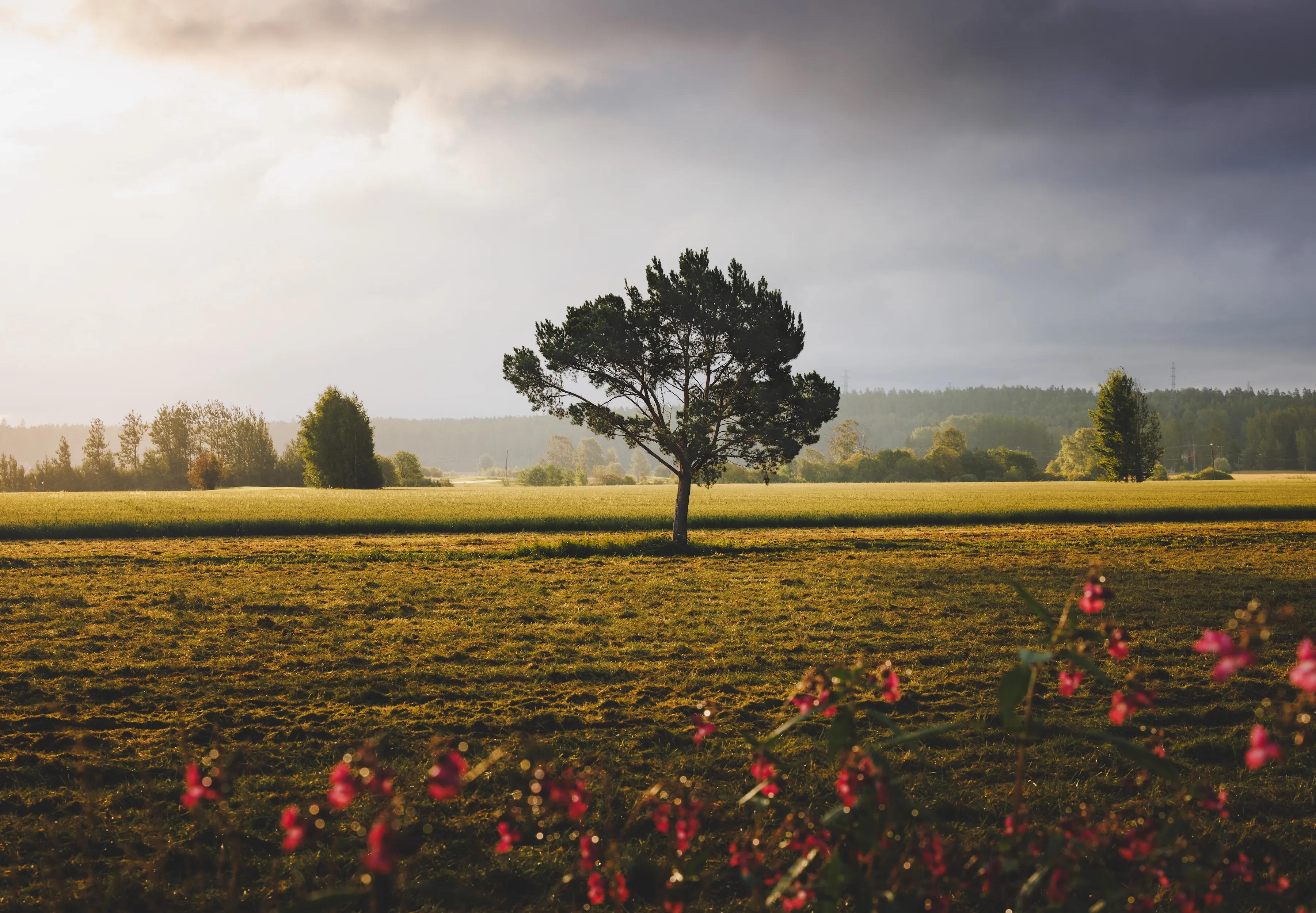
The single most useful weather condition for outdoor portraits is not golden hour. It is bright, diffused overcast. When clouds act like a giant softbox, you get soft shadows, even skin tones, and the freedom to shoot in any direction without worrying about where the sun is.
Not all cloud cover is equal, though:
| Cloud Cover | Light Quality | Portrait Value |
|---|---|---|
| 0–20% | Hard directional sun | Poor without shade or modifiers |
| 20–50% | Broken, variable | Unpredictable—good moments mixed with harsh patches |
| 50–85% | Bright, diffused | Ideal for flattering, even light |
| 85–100% | Flat, dim | Even but can lack contrast and depth |
The sweet spot for portraits is roughly 50–85% cloud cover with enough brightness that you are not fighting for exposure. You want clouds thick enough to eliminate harsh shadows, but not so thick that the scene turns gray and lifeless.
Thin high clouds (cirrus) help by diffusing light without blocking much of it. Low clouds are more decisive—they either provide the softbox effect or kill the light entirely. For this reason, total cloud cover between 60% and 80% is usually the most reliable range for consistent portrait light.
In PhotoWeather, Pro users can use the Soft Light Index to track this directly. It scores how well the atmosphere is diffusing light into soft, even illumination. Scores above 70% indicate genuinely useful soft light for portraits. The built-in Soft Light template (Pro) monitors this automatically.
Avoiding Harsh Midday Sun
Direct midday sun is the enemy of flattering portraits. The sun high overhead creates raccoon eyes, harsh nose shadows, and blown highlights on foreheads and cheekbones.
There are three practical ways to avoid it:
1. Time your session away from midday
Shoot within two hours of sunrise or sunset when the sun is lower. A solar elevation below 30° dramatically improves light quality. Below 15° is even better. PhotoWeather’s Golden Hour condition catches these windows automatically.
2. Use cloud cover as natural diffusion
If you must shoot midday, look for total cloud cover above 60%. The clouds eliminate the harsh overhead source and replace it with soft, directionless light. This is often more reliable than trying to find open shade, especially at locations without trees or buildings.
3. Shoot in true open shade
When skies are clear, place your subject in deep shade with no sky visible overhead. The light bouncing in from open areas becomes a natural fill. This works, but it restricts your compositions and background choices significantly.
For predictable results, the first two strategies are far more reliable than hoping for convenient shade on location.
The Golden Hour Sweet Spot for Portraits
Golden hour is famous for a reason. When the sun is low on the horizon, its light travels through more atmosphere, which softens and warms it. Shadows lengthen and become less harsh. Skin glows.
But portraits have slightly different needs than landscapes during golden hour:
- Landscapes want dramatic clouds, color in the sky, and strong sidelight on terrain.
- Portraits want warm, soft light that flatters the face without making the subject squint into a low sun.
For portraits, the best golden hour window is often slightly earlier than the landscape peak. When the sun is 6–12° above the horizon, you get the warm color and soft shadows without the sun being so low that it shines directly into the subject’s eyes or forces you to shoot with the sun behind them.
PhotoWeather’s Golden Hour Potential field evaluates whether the atmosphere will actually deliver good golden light, not just whether the timing is right. It factors in cloud cover, visibility, and humidity. Scores above 75% indicate reliable golden hour quality. Combine this with the Golden Hour time condition to catch the window precisely.
The built-in Golden Glow template does exactly this: it alerts when golden hour timing aligns with strong golden hour potential, low wind, and minimal rain chance.
Wind: The Overlooked Portrait Killer
Wind matters for portraits more than most photographers admit. It affects hair, clothing, reflectors, softboxes, and even subject confidence. A subject who is cold or distracted by wind is not relaxed, and that shows in the image.
Wind thresholds for outdoor portraits
| Wind Speed | Effect on Portraits |
|---|---|
| Under 2 m/s | Ideal. Hair and clothing stay still. Reflectors and diffusers are stable. |
| 2–4 m/s | Manageable. Light hair may move. Flag skirts or loose fabric. |
| 4–7 m/s | Challenging. Hair moves constantly. Light modifiers need sandbags or assistants. |
| Above 7 m/s | Difficult. Most natural-light setups become unstable. Consider rescheduling or moving indoors. |
For events, wind affects more than aesthetics. Outdoor ceremonies with programs, decorations, or veils become chaotic. Cocktail hours with linen table settings turn into messes. If you are photographing an outdoor wedding, wind above 5 m/s is worth monitoring closely, and above 8 m/s should trigger contingency planning.
PhotoWeather tracks both sustained wind speed and gusts. For portrait work, pay attention to gusts—a calm average with sharp gusts is more disruptive than steady moderate wind because it is unpredictable.
Rain Probability and Backup Planning for Events
Rain is the most feared weather variable for outdoor events, but not all rain is equal, and not all rain ruins a shoot.
For portrait sessions
A light drizzle with overcast skies can actually produce beautiful, moody portraits. The wet ground adds reflections. The clouds provide perfect diffusion. The key is being prepared with a plan and gear protection.
For predictable, comfortable conditions, keep precipitation probability below 20%. Above that, you should have a covered backup location confirmed.
For events
Events are less flexible. A couple cannot postpone a wedding because of a 40% rain chance. But they can make informed decisions about tenting, timeline adjustments, or indoor backup spaces.
Practical thresholds:
- Under 15%: Proceed as planned. Have a rain plan, but do not stress.
- 15–40%: Activate the backup plan. Inform vendors. Scout indoor portrait locations.
- Above 40%: Strongly consider moving the ceremony indoors or under cover. The forecast is telling you something.
PhotoWeather’s precipitation probability field gives you a clear number to act on. For extra confidence, Pro users can watch ensemble forecasts to see how much the models agree.
Temperature Comfort for Subjects
Technical light quality means nothing if your subject is miserable. Cold subjects hunch, shiver, and tense their faces. Hot subjects sweat, squint, and fade quickly.
Comfortable temperature ranges for outdoor portraits
| Subject Type | Comfortable Range |
|---|---|
| Adults, short sessions | 10–28°C |
| Adults, extended sessions | 15–25°C |
| Children | 15–26°C |
| Elderly | 18–26°C |
| Wedding parties (formal attire) | 15–24°C |
Below 10°C, subjects in light clothing start to show discomfort. Below 5°C, most people struggle to look natural without coats. Above 28°C, sweat and squinting become problems, especially with harsh sun.
Apparent temperature (feels-like) is often more relevant than actual temperature. A 5°C day with strong wind feels like -5°C. A 28°C day with high humidity feels like 35°C. PhotoWeather tracks both.
For events with mixed age groups—outdoor weddings with grandparents and children—aim for an apparent temperature between 15°C and 24°C. That is the zone where almost everyone stays comfortable in formal or semi-formal clothing.
Building “Perfect Portrait Light” Rules in PhotoWeather
Here are concrete rule setups you can use or adapt. These use real PhotoWeather fields with thresholds that match how portrait photographers actually work.
1. Soft Overcast Portraits (Free)
Best for: consistent, flattering light without harsh shadows.
- Cloud cover: 60–85%
- Wind speed: under 4 m/s
- Precipitation probability: under 20%
- Temperature: 10–28°C
This is a workhorse rule. It catches the bright overcast days that portrait photographers dream about. No golden hour timing needed—these conditions work from late morning through afternoon.
2. Golden Hour Portraits (Free)
Best for: warm, glowing, natural-light portraits.
- Golden Hour: any
- Golden Hour Potential: 75%+
- Wind speed: under 4 m/s
- Precipitation probability: under 10%
This is essentially the built-in Golden Glow template. It ensures that golden hour timing aligns with atmospheric conditions that will actually produce warm, beautiful light.
3. Gentle Breeze Portrait Window (Free)
Best for: sessions where hair and fabric movement need to be controlled.
- Cloud cover: 40–80%
- Wind speed: under 2 m/s
- Wind gusts: under 4 m/s
- Precipitation probability: under 15%
Use this for bridal portraits, fashion work, or any session where stillness matters. The low wind threshold removes the majority of disruptive conditions.
4. Pro Soft Light Alert (Pro)
Best for: automatic detection of ideal diffused light.
- Soft Light Index: 70%+
- Wind speed: under 5 m/s
- Precipitation probability: under 20%
The Soft Light template uses this logic. It monitors the ratio of direct to diffuse radiation, cloud layers, and visibility to score how well the atmosphere is acting as a natural softbox.
5. Comfortable Outdoor Event Window (Free)
Best for: outdoor weddings, family gatherings, or corporate events.
- Temperature: 15–26°C
- Wind speed: under 5 m/s
- Precipitation probability: under 15%
- Cloud cover: any (but 30–80% is usually most comfortable)
This rule prioritizes subject comfort over dramatic light. It is the one you run for events where people will be standing outside for an hour or more.
Event Photography: Predicting Outdoor Wedding Conditions
Outdoor weddings combine the worst of both worlds: the light sensitivity of portrait work with the immovable timeline of an event. You cannot wait for conditions to improve. You have to know what is coming and prepare for it.
A practical workflow
One week before: Check the long-range forecast. Look for broad patterns: is a storm system approaching? Is a heat wave expected? Set general expectations with the couple.
Three days before: The forecast becomes reliable enough to act on. Check:
- Precipitation probability and timing
- Temperature and apparent temperature
- Wind speed and gusts
- Cloud cover trends
Day before: Confirm the backup plan. If precipitation probability is above 30%, make the call on tenting or indoor options.
Morning of: Check the hourly forecast. Look for micro-windows: a clearing between rain bands, a calm hour before wind picks up, or soft overcast that arrives right on schedule.
Key wedding-specific thresholds
- Ceremony comfort: Temperature 15–26°C, wind under 5 m/s, no active precipitation
- Portrait window: Golden Hour Potential 70%+ during a gap in the timeline, or Soft Light Index 70%+ for soft overcast portraits
- Reception light: If outdoors, cloud cover under 50% if you want warm sunset light; over 60% if you want even light for speeches and dancing
Managing expectations
The best wedding photographers do not just react to weather. They explain it to the couple in advance. “The forecast shows 75% cloud cover during your ceremony, which means soft, even light—no harsh shadows on faces. Then it clears to 40% by golden hour, so we should get warm sunset portraits.” That kind of clarity builds trust and lets the couple relax.
Quick Reference
Portrait Light Conditions
| Condition | Ideal Range | PhotoWeather Field |
|---|---|---|
| Soft diffused light | Cloud cover 60–85% | Cloud Cover |
| Golden hour warmth | Sun 6–12° above horizon | Golden Hour + Golden Hour Potential |
| Wind control | Under 2–4 m/s | Wind Speed |
| Comfortable temperature | 15–26°C apparent | Temperature / Feels Like |
| No rain disruption | Under 15–20% chance | Precipitation Probability |
Rule Summary
| Rule | Best For | Key Thresholds |
|---|---|---|
| Soft Overcast Portraits | Reliable flattering light | Cloud cover 60–85%, wind < 4 m/s |
| Golden Hour Portraits | Warm, glowing natural light | Golden Hour Potential ≥ 75% |
| Gentle Breeze Window | Controlled hair and fabric | Wind < 2 m/s, gusts < 4 m/s |
| Pro Soft Light Alert | Automatic soft light detection | Soft Light Index ≥ 70% |
| Comfortable Event Window | Guest comfort at outdoor events | Temp 15–26°C, precipitation < 15% |
Start Predicting Your Portrait Light
If you have been checking generic weather apps and hoping for the best, you are leaving quality to chance. Portrait and event photography deserves the same weather intelligence that landscape photographers rely on.
Start simple: add one location to PhotoWeather and build a Soft Overcast Portraits rule or use the Golden Glow template. Watch how the alerts line up with your best sessions. Then add a wind or temperature condition. Within a few weeks, you will know exactly which thresholds match your style and your local weather patterns.
Create your free account and set up your first portrait rule today.