
PhotoPills Is Brilliant for Planning. Here's Why Photographers Still Check the Weather Elsewhere.
PhotoPills dominates sun, moon, and Milky Way planning. But weather is a different problem. Here's what PhotoPills doesn't do—and what to pair it with.
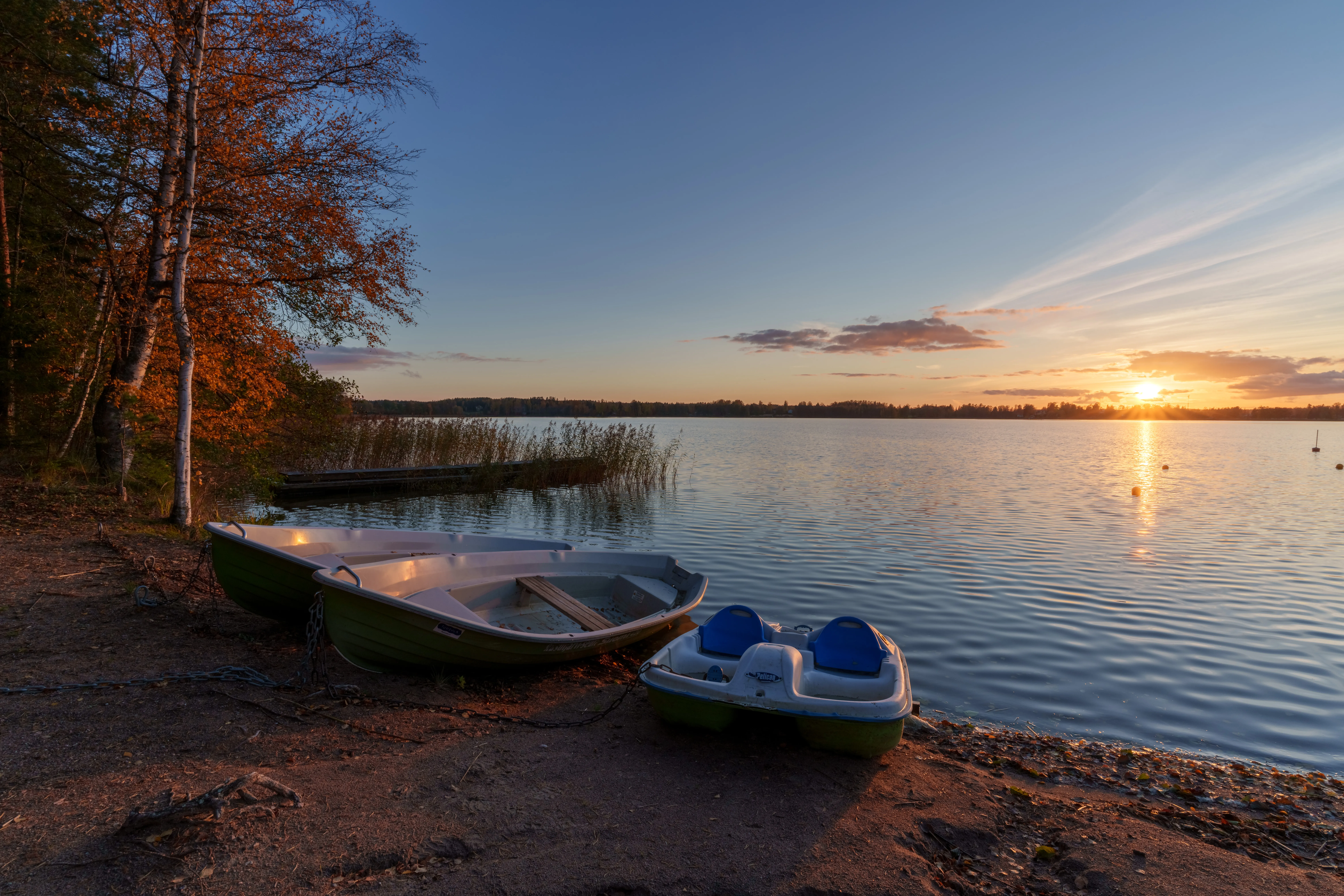
PhotoPills Is Brilliant for Planning. Here’s Why Photographers Still Check the Weather Elsewhere.
If you shoot landscapes, astro, or anything that depends on natural light, you probably already own PhotoPills.
And you should. The augmented reality overlay alone is worth more than most photography apps charge in a year. Being able to stand on a hillside, point your phone at the horizon, and see exactly where the sun will dip behind that ridge at 8:47 PM is genuinely magical. It turns vague hope into precise planning.
But here is the uncomfortable truth most PhotoPills owners eventually discover: knowing where the sun will set is not the same as knowing whether the sunset will be worth photographing.
PhotoPills gives you impeccable timing and geometry. What it does not give you, by design, is a deep read on whether the sky will cooperate. And that gap matters more than most photographers admit.
What PhotoPills Does Brilliantly
Before talking about the gap, it is worth being honest about what PhotoPills gets exactly right. This is not a takedown. PhotoPills is one of the best photography planning apps ever built.
Sun and moon position. Predicting where the sun rises, sets, and tracks across the sky with sub-degree precision. Essential for aligning light with foreground features.
Milky Way planning. Mapping the galactic core’s position, angle, and visibility windows across months and years. Absolutely indispensable for astrophotographers.
AR visualization. The live overlay that shows you, on location, exactly where the sun or moon will be from your current viewpoint. It removes almost all guesswork from composition scouting.
Golden and blue hour calculations. Precise times for the transitions that matter most to photographers, not just generic “sunrise” and “sunset.”
Hyperfocal distance and depth of field. Built-in calculators that keep you from fumbling with apps or mental math in the field.
These are not small features. They are the backbone of serious photography planning. Most landscape photographers would feel naked without them.
The Weather Gap
PhotoPills does include some weather data. You can pull in basic forecasts, see cloud cover percentages, and check wind speed. But let us be direct about what those widgets actually are: convenient extras, not the main event.
The app was never designed to be a weather engine. It was designed to tell you where and when the light will be. Whether that light will produce anything worth shooting is a fundamentally different question.
Here is what separates the two problems:
| What PhotoPills Answers | What Photographers Actually Need |
|---|---|
| What time is sunset? | Will the western horizon clear? |
| Is it cloudy? | What kind of clouds, at what height? |
| What is the wind speed? | Will the lake stay calm enough for reflections? |
| Is there fog? | What is the actual probability, based on dewpoint and wind? |
| What is the moon phase? | Will cloud cover block the Milky Way anyway? |
The left column is geometry and timing. The right column is atmospheric interpretation. Both matter, but they require completely different tools.
What Serious Photographers Actually Need for Weather Decisions
A forecast that helps photographers make go/no-go decisions needs to go deeper than a cloud percentage and a wind icon.
Cloud layer breakdown. Not just “40% cloudy” but how much of that is low stratus that blocks the horizon, versus mid-level clouds that catch golden light, versus high wispy cirrus that adds texture without killing the sun. Those three outcomes look nothing alike in a photograph.
Fog probability. Real fog forecasting depends on dewpoint spread, vapor pressure deficit, wind mixing, and terrain. A simple “fog” icon does not tell you whether you should set a 4 AM alarm.
Derived photography conditions. Signals built specifically for camera work: cloud drama scores, golden hour potential, fiery sky probability. Not raw meteorological data, but interpreted conditions that map to actual visual outcomes.
Confidence in the forecast. Is the model agreement strong, or are you looking at a speculative prediction that might shift by tomorrow? That matters enormously when you are deciding whether to drive two hours.
Alerts for rare windows. The ability to say “notify me when fog probability exceeds 70% within two hours of sunrise at this specific lake” and then stop thinking about it. Not a generic rain alert. A photography-specific condition monitor.
The Real Workflow: PhotoPills Plus a Weather Tool
Talk to photographers who consistently come home with good images, and you will find a remarkably consistent pattern.
They use PhotoPills for composition and timing. They figure out where the sun will hit that mountain ridge, where the Milky Way will arch over the lake, what time blue hour ends. They scout locations with the AR overlay. They plan the geometry of the shot with precision.
Then they turn to a dedicated weather tool to answer the atmospheric question: is this actually worth going out for?
That second tool might be Clear Outside for cloud layer detail. It might be Windy for model comparison and atmospheric dynamics. It might be a photography-focused weather service that translates raw forecast data into conditions that actually map to shooting decisions.
The division of labor is clean and honest:
- PhotoPills tells you where the light will be.
- Weather tools tell you whether the light will be worth chasing.
Both are necessary. Neither replaces the other.
What Pairing Actually Looks Like in Practice
Here is a realistic workflow for a landscape photographer planning a sunset shoot:
-
PhotoPills phase. Drop a pin at the lake you want to shoot. Check sun azimuth and elevation. Confirm the sun will set behind the mountain ridge from your intended vantage point. Verify golden hour timing. Plan your lens choice based on the field of view.
-
Weather phase. Check cloud layer forecasts for that location. Look at low, mid, and high cloud coverage separately. Check wind speed if you are hoping for reflections. Look at fog probability if you are considering an early morning extension. Assess model confidence.
-
Decision phase. The geometry is perfect. The forecast shows mid-level clouds at 40% with low clouds below 15%, which means good structure without a blocked horizon. Wind is calm. You go.
Or:
The geometry is perfect. But the forecast shows dense low cloud exactly where the sun needs to break through, and model confidence is low. You save the gas and sleep in.
That second outcome is just as valuable as the first. Good weather tooling saves you from bad shoots, not only helps you find good ones.
When a Rule-Based Alert System Adds Value
If you are happy manually checking PhotoPills plus a weather app before every outing, that workflow works. It is what most serious photographers already do.
But there are situations where manual checking starts to break down:
You are tired of the pre-trip ritual. Checking two or three apps, cross-referencing timestamps, mentally translating cloud percentages into visual outcomes. It works, but it takes time and energy.
You chase rare conditions. Fog, dramatic clearing storms, perfectly still water, fiery skies. These do not happen often, and they are easy to miss if you are not checking forecasts obsessively.
You shoot multiple locations. A single location is manageable. But if you have five or ten spots you regularly shoot, manually checking weather for each one becomes a part-time job.
You want to optimize around your calendar. Being able to say “only alert me if conditions are exceptional on evenings when I do not already have plans” changes how often you can actually get out.
This is where a rule-based weather alert system becomes useful. Instead of checking forecasts, you define the conditions you care about and let the system watch for them. When something matches, you get a notification. When nothing matches, you get silence.
It does not replace PhotoPills. It replaces the repetitive weather-checking habit that happens alongside PhotoPills.
The Honest Limitation
No single app does everything perfectly for photographers, and that is okay.
PhotoPills is the best tool in the world for light geometry and celestial planning. It does not try to be a deep weather engine, and it should not. Its focus is why it is great.
Dedicated weather tools are better at atmospheric interpretation. They do not try to show you where the sun will align with your foreground rock, because that is not their job.
The best photographers use a small toolkit. They match the right tool to the right question. They do not expect one app to solve every planning problem, because that expectation leads to compromise.
PhotoPills for where and when. Weather tools for whether. That is the split.
Get Alerts for the Weather Side of the Equation
If you already use PhotoPills for planning and you want something that handles the atmospheric half of the decision, PhotoWeather is built for exactly that gap.
It does not replace PhotoPills. It complements it. You keep using PhotoPills for sun position, AR scouting, and Milky Way planning. PhotoWeather handles cloud layer breakdown, fog probability, derived conditions like Cloud Drama Score and Golden Hour Potential, and rule-based alerts that watch your locations for you.
Create a free account, add a location you already have planned in PhotoPills, and set up one rule that matches how you actually shoot. Then keep using PhotoPills exactly the way you always have. The difference is that now something else is watching the weather while you focus on the light.